Mathematica
Determining Limits
-
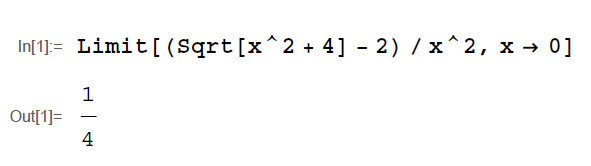
Enter the command Limit[. Limit Left Square
-
Enter the desired function, then a comma.
-
Enter the variable in the function, then −Minus>approaches, then the value that variable approaches, then ]Close the menu.
-
Press SHIFTthe Shift key+ENTERthe Enter key.
Evaluating a Definite Integral
-
Enter f[t_]:=f left square bracket t subscript right square bracket colon equals and then the desired integrand function, with t as the variable.
-
Press ENTERthe Enter key.
-
Enter the command Integrate[Integrate.
-
Enter f[t]f left square bracket t right square bracket, {t, a, b}]t, a, b right square bracket, replacing a and b with the lower and upper limits of integration, respectively.
-
Press SHIFTthe Shift key+ENTERthe Enter key.

-
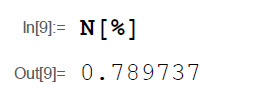
Enter N[%]N left square bracket percent sign right square bracket if you wish to numerically evaluate the output.
-
Press SHIFTthe Shift key+ENTERthe Enter key.